Description
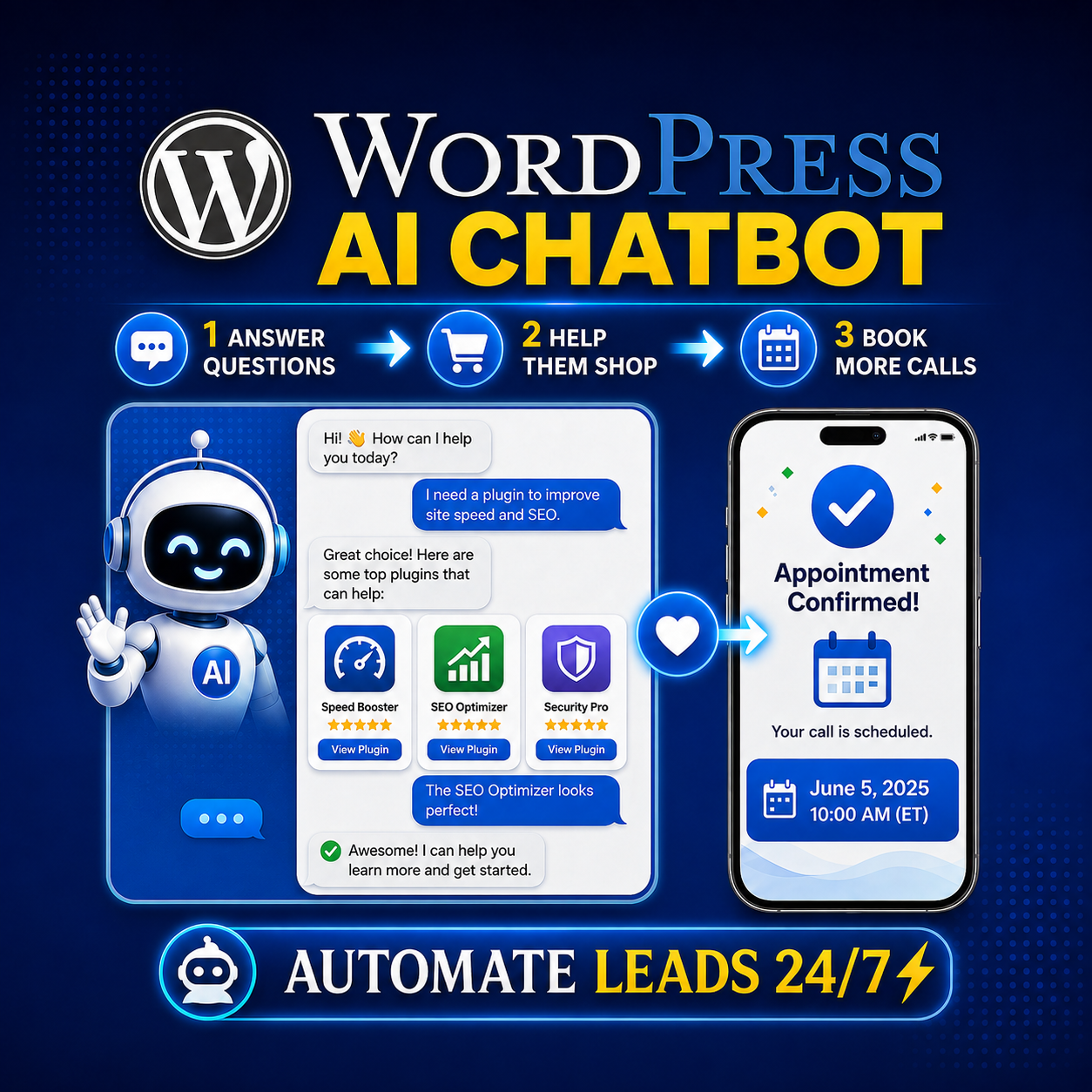
Give website visitors immediate answers without requiring you to monitor your site all day.
The AI Website Chatbot for WordPress connects to an AI provider through an OpenAI-compatible API and uses your website’s sitemap, service pages, product pages, plugin pages, packages, FAQs, and downloadable products as its knowledge source.
Instead of giving generic responses, the chatbot is designed to understand what the visitor needs, recommend the most relevant solution, and guide qualified visitors toward your booking calendar.
Key features:
- Sitemap-based website knowledge
- Support for service, product, plugin, package, and download pages
- Scheduled site-content indexing
- AI responses grounded in your website content
- Configurable AI provider, API endpoint, and model
- OpenAI and OpenRouter compatibility
- Customizable chatbot name, colors, size, tagline, and welcome message
- Conversation flow designed to avoid aggressive sales prompts
- Lead capture for name, email, phone, and area of interest
- Google Calendar booking link support
- Email notifications for new leads
- SMS notifications through an email-to-text address
- WordPress database lead storage
- Duplicate notification protection
- Rate limiting and honeypot spam protection
- Origin checking and visitor-input sanitization
- Admin lead inbox with conversation threads
- Monthly lead organization
- Status and follow-up information
- No Make.com account required
How it works:
- The visitor opens the chatbot.
- The chatbot asks what they need help with.
- It answers using your website content.
- It asks clarifying questions when necessary.
- It recommends the most relevant service, product, plugin, or package.
- It provides your calendar link when the visitor shows interest.
- You receive the lead by email and SMS.
- The conversation is stored in your WordPress admin area.
Ideal for:
- Freelancers
- Consultants
- Agencies
- Designers
- Coaches
- Course creators
- WordPress developers
- Service businesses
- Digital product sellers
- Plugin and software businesses
- Businesses that want to capture leads while away from the website
What you need:
- A WordPress website
- An API key from a compatible AI provider
- An XML sitemap
- An optional Google Calendar booking link
- An email address for lead notifications
- An optional SMS email-to-text address
AI provider flexibility:
The plugin is not locked to one AI provider. You can use OpenAI or another provider that supports the OpenAI-compatible Chat Completions API. Enter your provider’s API key, endpoint, and model in the WordPress settings.
Important note:
AI usage is billed separately by your selected provider. The plugin does not include API usage credits. Response accuracy depends on the quality and completeness of your website content and sitemap.
FAQ:
Q: Does the chatbot read my entire website?
A: The chatbot can index the pages listed in your XML sitemap, including service, product, plugin, package, and downloadable-product pages.
Q: Does it work with WooCommerce?
A: Yes. Add your product sitemap so the chatbot can use WooCommerce product pages as part of its recommendations.
Q: Do I need Make.com?
A: No. The plugin can communicate directly with your selected AI provider and send lead notifications through WordPress.
Q: Can I use OpenRouter?
A: Yes. Enter the OpenRouter Chat Completions endpoint, API key, and model in the AI Provider settings.
Q: Can I use my own AI provider?
A: Yes, if the provider supports the OpenAI-compatible Chat Completions API format.
Q: Where are leads stored?
A: Qualified leads are stored in your WordPress database and can be reviewed from the Chat Leads admin page.
Q: Can the chatbot schedule appointments?
A: It can provide your Google Calendar booking link when a visitor shows interest. The visitor completes the appointment booking through Google Calendar.
Q: Can I customize the chatbot?
A: Yes. You can customize the name, tagline, welcome message, colors, size, sitemap, FAQs, booking link, and AI model.
Q: Does the plugin guarantee that the AI will never make a mistake?
A: No AI system can guarantee perfect responses. The chatbot is instructed to rely on your site content and admit when information is unavailable rather than inventing an answer.
Suggested call to action:
Help visitors find the right solution—before they leave your website.
Add an AI website chatbot to WordPress today and turn more questions into qualified conversations.